

Blog
How to Safely Handle a Swollen Phone Battery

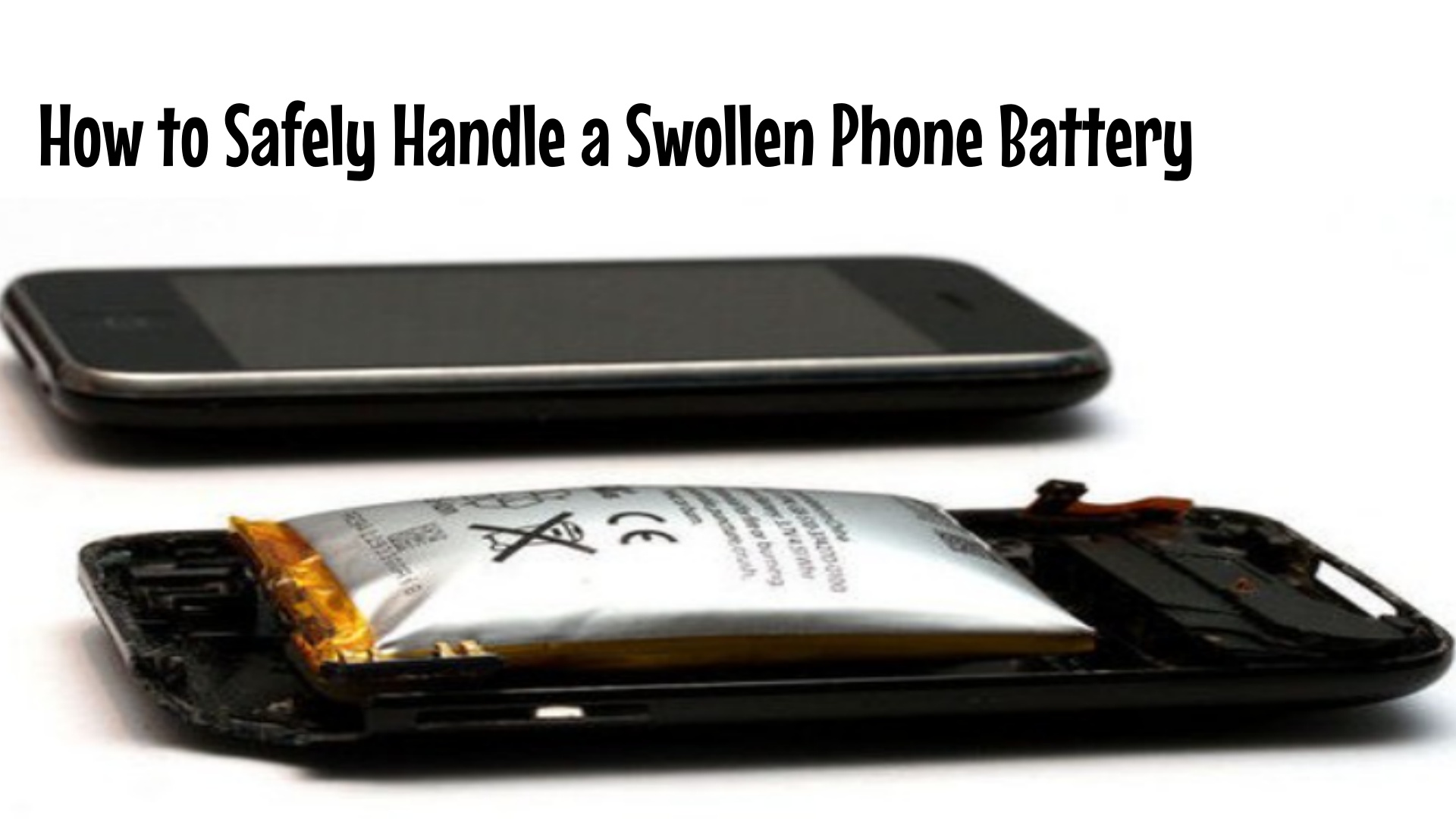
As a repair technician, opening a device sometimes brings unexpected challenges—and few are as concerning as discovering a swollen battery. This condition can present serious safety risks if not handled properly. In this guide, we’ll explain how to identify, remove, and dispose of a swollen battery safely, so you can manage this potentially hazardous situation with confidence and care.
—
Why Swollen Batteries Are Dangerous
A swollen lithium-ion battery is more than just a physical defect—it’s a warning sign of internal chemical instability. The swelling is caused by gas buildup from electrolyte decomposition, which can lead to:
· Risk of fire or explosion if punctured or overheated
· Leakage of corrosive and toxic chemicals
· Damage to internal components such as the display, logic board, or casing
Understanding these risks is essential before attempting any removal.
—
How to Identify a Swollen Battery
Before opening the device, look for these common signs:
· Visible bulging: The screen or back cover may be lifted, separated, or curved
· Difficulty opening: The device seems tighter or uneven when trying to remove panels
· Overheating: The phone feels unusually warm even when idle
· Performance issues: Unexpected shutdowns, rapid power loss, or screen flickering
· Unusual odor: A sweet, metallic, or burning smell near the device
If any of these signs are present, proceed with caution and assume the battery may be compromised.
—
Step-by-Step Safe Removal Process
If you confirm a swollen battery, follow these guidelines to minimize risk:
1. Prepare Your Workspace
· Work in a well-ventilated area, away from flammable materials
· Use personal protective equipment: safety glasses, gloves, and long sleeves
· Place an ESD-safe mat or a non-flammable surface on your workbench
2. Power Down & Disconnect
· Ensure the device is completely turned off
· Disconnect from any power source or charging cable
3. Open the Device Carefully
· Use plastic opening tools and avoid metal near the battery
· Do not apply pressure to the swollen area
· If the battery is adhered, gently use a plastic card or battery removal tool—never force it
4. Lift and Remove
· Slowly lift the battery using a non-conductive tool
· Avoid bending, puncturing, or piercing the battery
· If the battery is stuck, applying mild heat (with a heat gun at low temperature) can soften adhesive—keep heat away from the battery center
5. Isolate the Battery
· Place the removed battery in a fireproof container or anti-static bag
· Store temporarily in a cool, dry place away from direct sunlight and moisture
—
Safe Disposal and Recycling
Swollen batteries should never be thrown in regular trash. Follow local e-waste and battery recycling regulations:
· Use certified battery recycling drop-off points
· In the EU, search for approved collection centers via the European Recycling Platform or local municipal waste services
· Some retailers and repair centers also accept damaged batteries for safe handling
—
When to Seek Professional Help
If you are unsure about any step—or if the battery is severely swollen, leaking, or hot—stop immediately. Contact a specialized battery disposal service or a professional repair network for assistance.
—
Conclusion
Handling a swollen battery requires attention, the right tools, and respect for safety protocols. By recognizing the signs early and following careful removal practices, you protect yourself, your workspace, and the environment.
At SunGoode, we support repair professionals with reliable parts, resources, and safety guidance—because every repair should be safe, sustainable, and successful.
—
Stay informed with more repair safety tips and industry updates—follow SunGoode on LinkedIn and subscribe to our tech blog.